This article applies to:
- SIEM OE 5.x (DA Tier)
- SIEM LP
- SIEM Enterprise
Question:
- I need to verify that my system is receiving logs via syslog
- I need to verify that logs are being received from a specific system or a specific type of log is being collected
Procedure:
Note: This article assumes you are logged on to the DA where the reporting system sends logs.
Tcpdump is a great tool to review incoming data, but without the right parameters and a method for filtering the results it can produce an overwhelming amount of unwanted output.
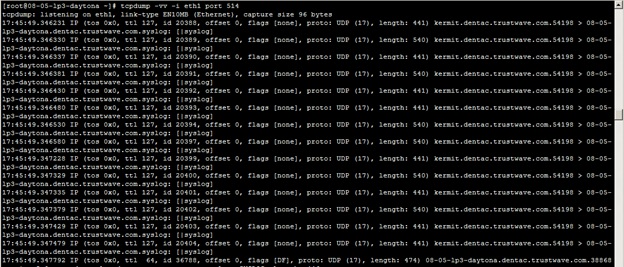
Limiting the output to a specific interface and a specific port can be useful, but without using grep to filter the results, the amount of data is still unworkable, as seen below:
Here are some suggested ways of using tcpdump and grep to find what you need and to verify that data from specific sources is coming into the SIEM system.
Find a keyword
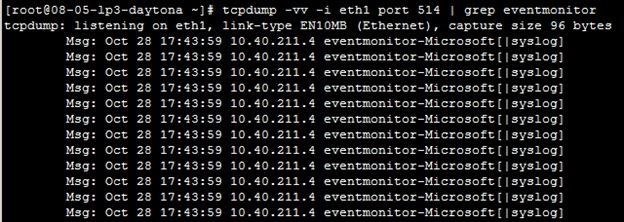
One good way to sort out the data that may be useful to you is to use a keyword. The below tcpdump command indicates that you want to see very verbose output (-vv) and that you want to monitor a single interface (-i), in this case eth1, and you only want traffic from port 514. The output is then piped into grep, which is looking for a keyword. In this example we're looking for "eventmonitor", a common keyword when looking for Windows events via Trustwave's EM agent.
tcpdump -vv -i eth1 port 514 | grep eventmonitor
Here you can see some output from this command:
Find an IP address or hostname
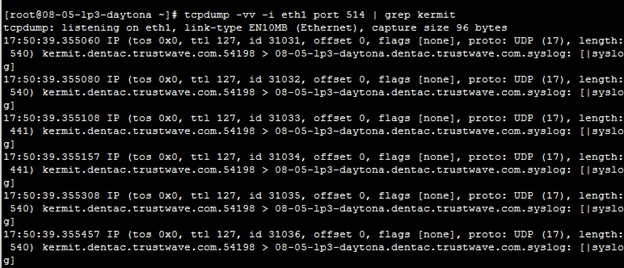
Another option is to use grep to look for an IP address or a hostname. This is especially useful if you think the system has been configured incorrectly and may not actually be sending data to the SIEM system. Just add the IP address or the hostname for the system you need to confirm is sending data:
tcpdump -vv -i eth1 port 514 | grep <ipaddress /hostname>
Here is an example with a hostname from a test system. Remember, you can use an IP address or a hostname:
Notes:
You may also find it useful to send the output to a text file. See article Q16418.


